traQ — Calls & screen sharing
traQ is traP’s community messenger. I maintain its backend and helped build calls and screen sharing with LiveKit. Our team’s hackathon project won the grand prize and later became part of traQ.
My role: Team project · Backend maintenance and call integration
CONTRIBUTION
My contribution
Team project.
- Backend development as one of traQ’s main maintainers
- Implemented the traQ–LiveKit bridge server for calls and screen sharing
- Presented the project at the hackathon
CONTEXT
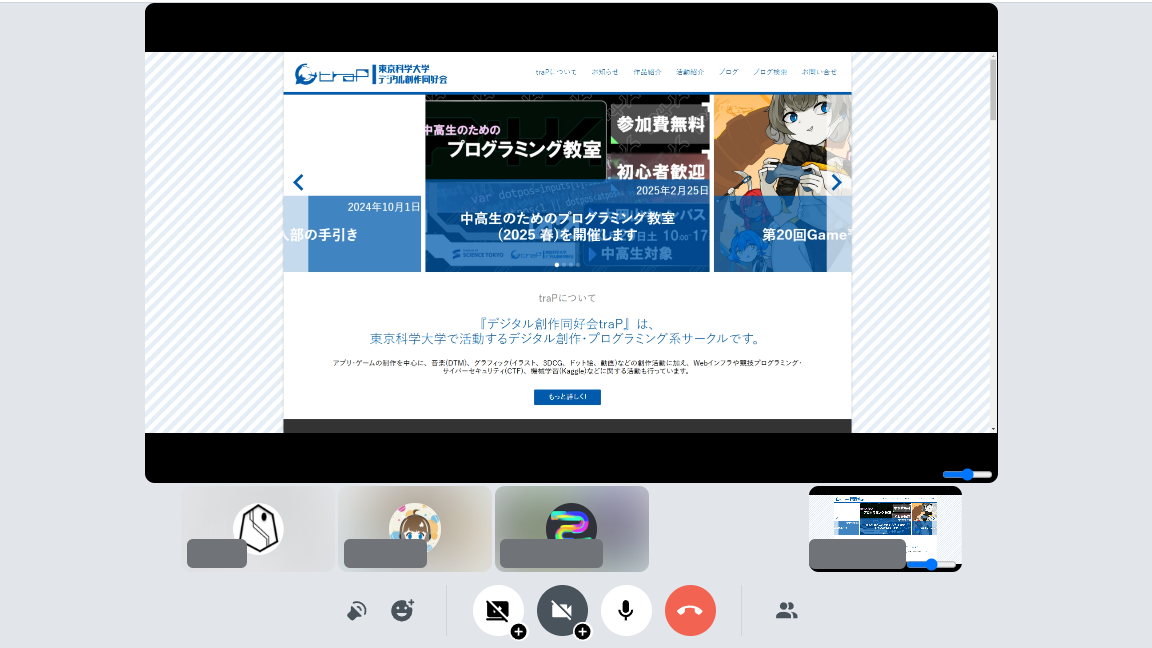
Calls and screen sharing inside traQ
The old Qall had no screen sharing or camera support, so members sometimes switched to another calling service. Our team self-hosted LiveKit and brought video calls and multiple shared screens into traQ.
HOW IT WORKS
Connecting traQ to LiveKit
I built the bridge server and gave the presentation. LiveKit handled audio and video delivery; my server connected it to traQ. I developed the bridge as a separate microservice during the hackathon. It was later integrated into traQ and used in production.
RESULTS
Project results
The hackathon award went to the Qall team. The upgrade later became a production feature in traQ.
- Award2024 winter hackathon — Grand prize
- Integrated into traQ and used in production
Technology, dates & sourcesMore about this project
SOURCES
Sources
References for the work and results described here.
- Supporting public sourceCode repository
The public traQ repository records pikachu0310’s backend contributions.
Checked - Public sourceProject article
The team’s article and bridge server repository document my server implementation and presentation, the hackathon award, and the later integration into traQ.
Checked - Confirmed by pikachu0310Personal confirmation
pikachu0310 confirmed becoming one of traQ’s main maintainers and working on calls and screen sharing during the hackathon.
Confirmed